Make vouchers and use them at the till
Make a code like KENTE10 to print on a flyer or send to customers, then take it off a sale at the till. Staff who can't give discounts can ask you, right from the till.
On this page
Make a voucher code
Open More and tap Vouchers. You'll see your codes and whether each one is Ready to use. Tap New voucher code.
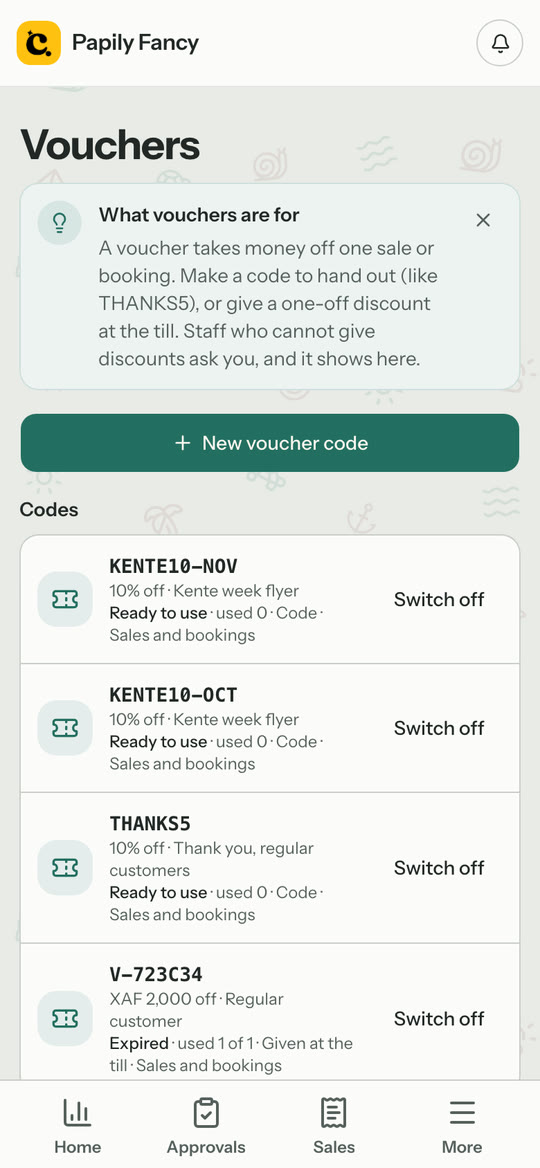
Vouchers: your codes Type the Code customers will say or show, like KENTE10. Under What it is for, write a few words you'll recognise later, like "Kente week flyer".
Choose Percent (%) or Amount, and type how much comes off.
Making KENTE10, 10% off Want limits? Tap Add who it works for, a limit or an end date. Choose whether it Works for sales, bookings or both, how many Times it can be used, and its Last day. Leave them empty for no limit.
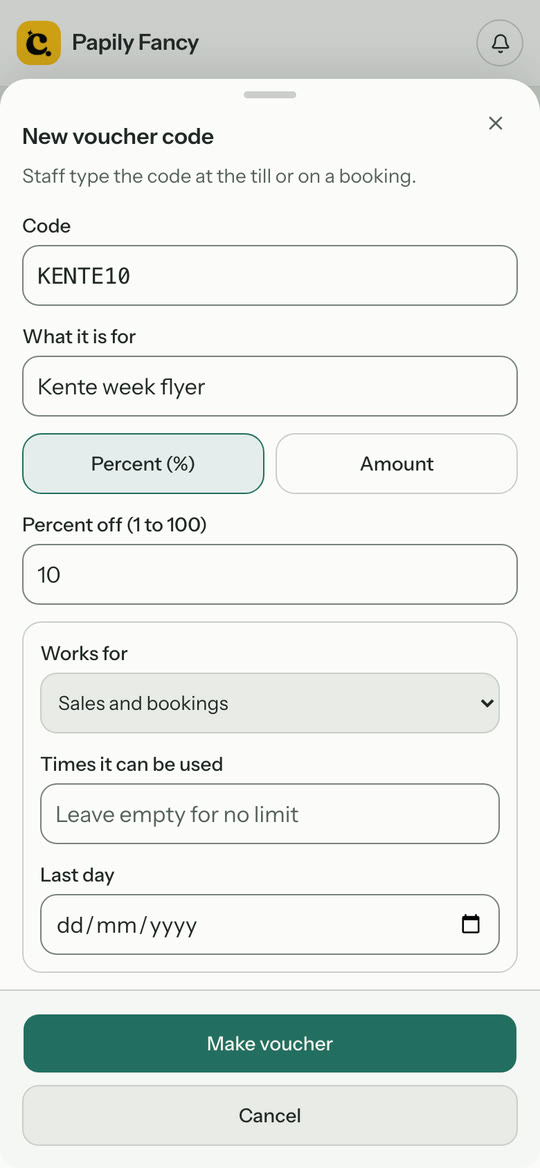
Who it works for, how many times, and the last day Tap Make voucher. That's it: the code is ready, and anyone at your till can use it.
Use it at the till
Ring up the sale as usual and tap Continue to payment.
Tap Add a voucher, type the code, and tap Apply voucher. Bizic checks the code and takes the discount off the amount due.
Adding KENTE10 at the till Take the money and tap Complete sale. The receipt shows the voucher, and the code's "used" count goes up by one.
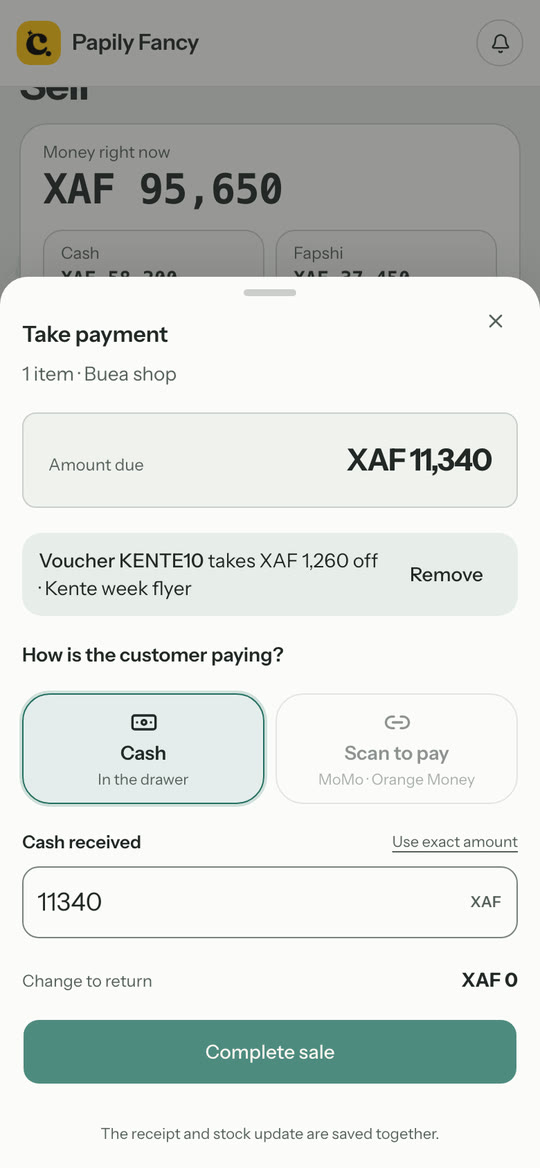
Voucher KENTE10 takes XAF 1,260 off
Stop a code
Tap Switch off next to a code in Vouchers. It stops working straight away. A code with a last day, or one that has been used up, stops by itself and shows Expired.
Last change, 1 November 2026: Fresh pictures; money now reads XAF.
Still stuck?
Tell us what you were trying to do. A real person reads every message.