
Run a promotion
Put things on sale for a while: a percentage off, a new price, buy one get one free, or free delivery. The till and your online shop change their prices by themselves, then go back when it ends.
Start a promotion
Open More and tap Promotions. You'll see what's running now. Tap New promotion.
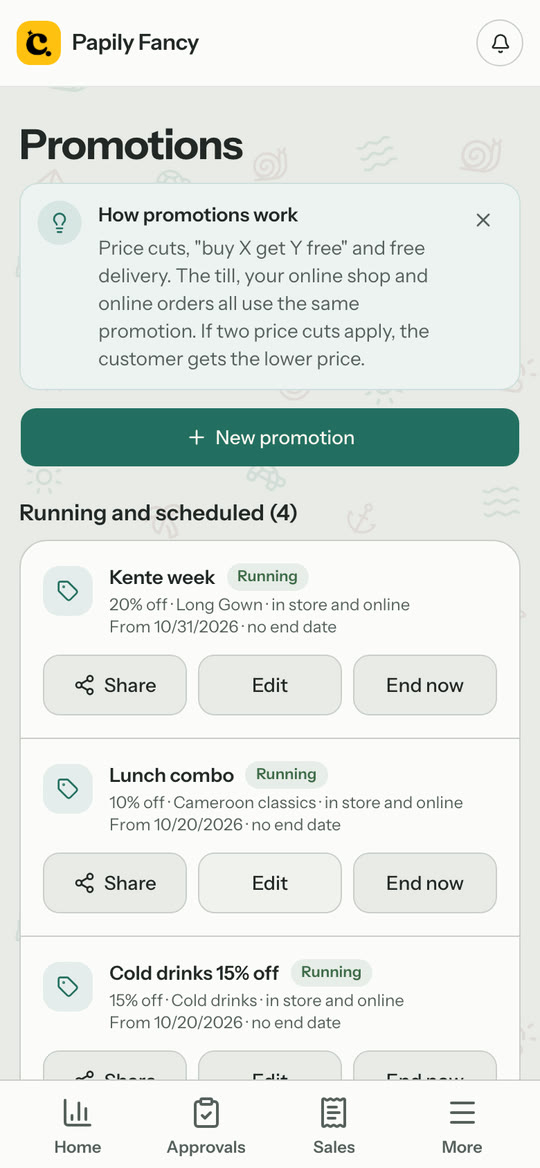
Promotions: what's running and scheduled Give it a name customers will see, like "Kente week".
Under What's the deal?, pick one: - % off, like 20% off - New price, to sell at a set price - Buy X, get Y free, like buy 1 get 1 - Free delivery, for online orders
Under Applies to, choose Everything, One category, or Chosen products, then pick which.
A new promotion: 20% off one category Under Where, choose In store and online, In store only or Online only. Set the day it Starts. Leave Ends empty if you'll stop it yourself.
Read the line at the bottom: it says the whole deal in one sentence, like "Kente week: 20% off · Long Gown · in store and online, until you end it". If it's right, tap Start promotion.
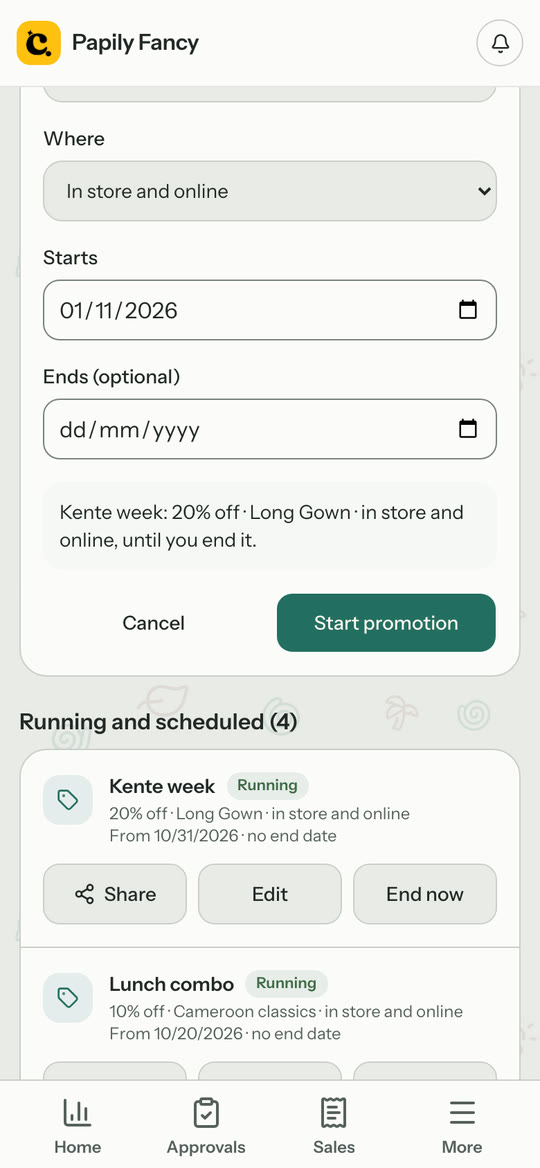
Where, when, and the deal in one sentence
That's it: the promotion is running. At the till, the price drops by itself, and your online shop shows the sale price with the old one crossed out.
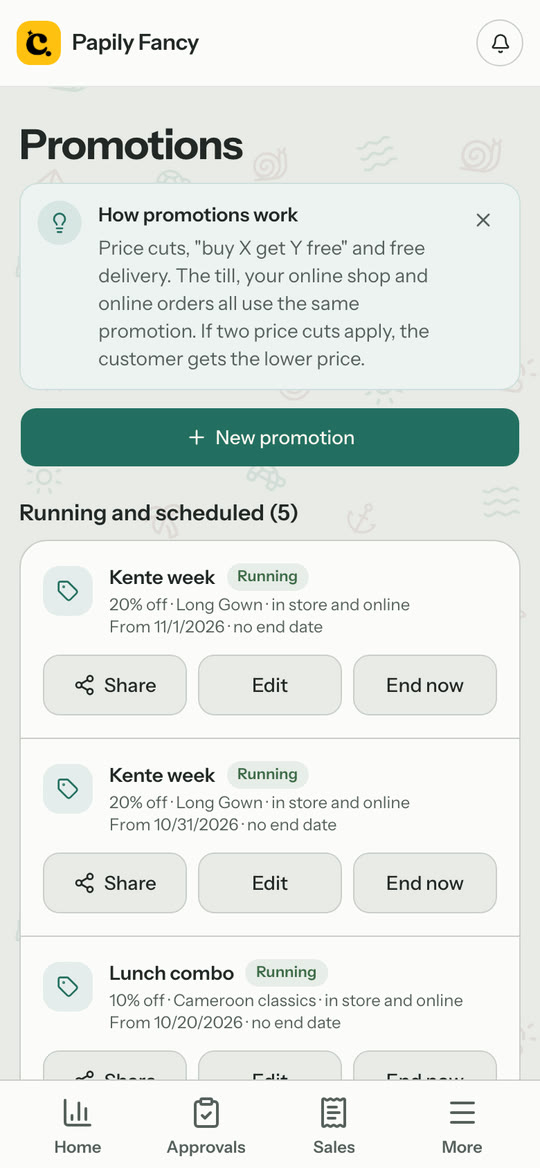
Tell your customers
Tap Share on the promotion. Bizic makes a promo card picture with your logo, and a WhatsApp message with each customer's own name in it.
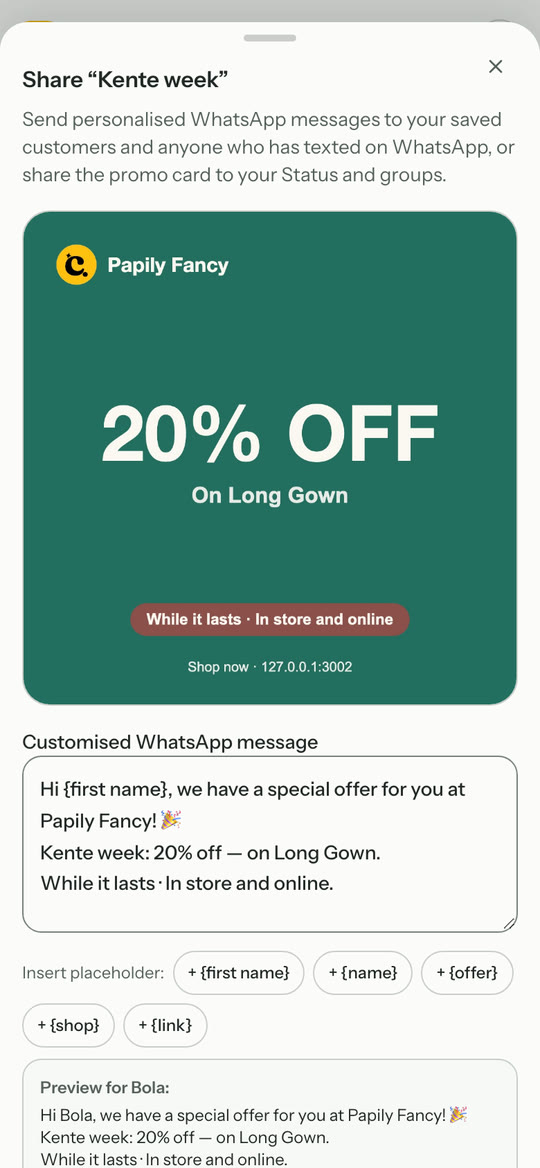
Sharing: the promo card and a personal message Send it to your customers on WhatsApp, or tap Download image and Copy caption to post it on your WhatsApp Status or in your groups.
Change or stop it
Tap Edit to change the name, the deal or the dates. Tap Save changes.
Tap End now to stop it straight away. Prices go back to normal at the till and online.
A promotion with an end date stops by itself that day.
Last change, 1 November 2026: Fresh pictures; money now reads XAF.
Still stuck?
Tell us what you were trying to do. A real person reads every message.