
Send one message to all your customers
Write one WhatsApp message, and each customer gets their own copy with their own name in it. Great for new stock, a sale, or a thank-you.
Before you start
Your business's WhatsApp number needs to be linked to Bizic once, under Settings → Messaging channels. Until it is, Bizic shows "Connect WhatsApp in Settings → Messaging channels to send from the app" where the send button would be. See Link your WhatsApp number.
Write your message
Open More, tap Campaigns, then New campaign, and choose Message my customers.
Opening Message my customers from Campaigns Type your message in Message. Where you want the customer's name, tap First name (or Full name). Bizic puts in a little marker, {first name}, and swaps it for each person's real name when it sends.
Writing a message with First name and Shop name Tap Shop name, Link, Voucher or Branch to add those too. Check the preview underneath. It shows exactly how one of your customers will see it, like "Hi Bola, new kente dresses just came in at…".
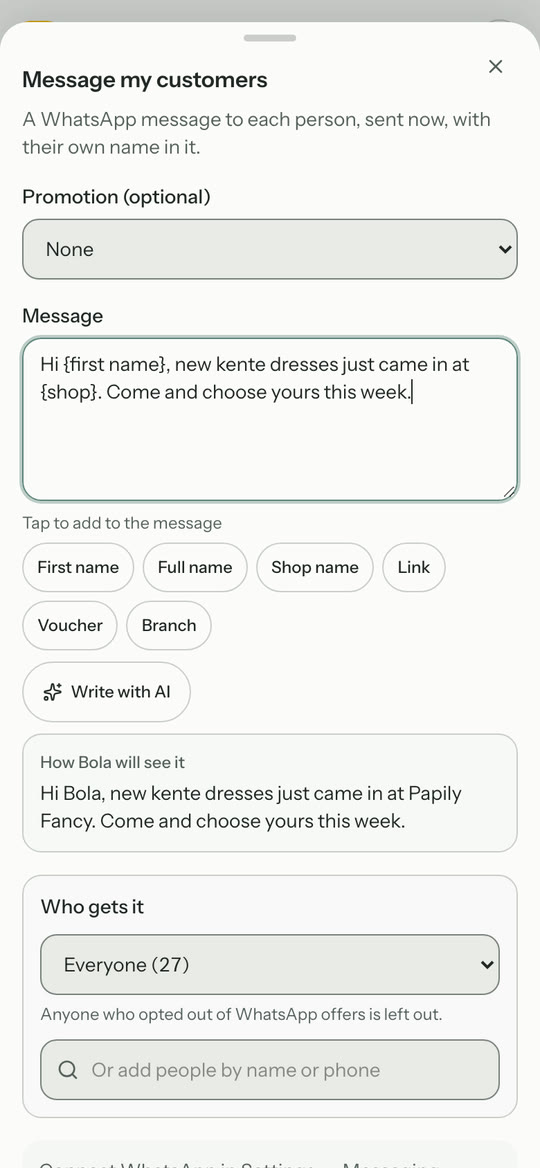
The message, and how Bola will see it
Choose who gets it
Under Who gets it, choose Everyone, People who messaged you on WhatsApp, Saved customers with a phone number, or Only the people I add below. The number in brackets tells you how many people that is.
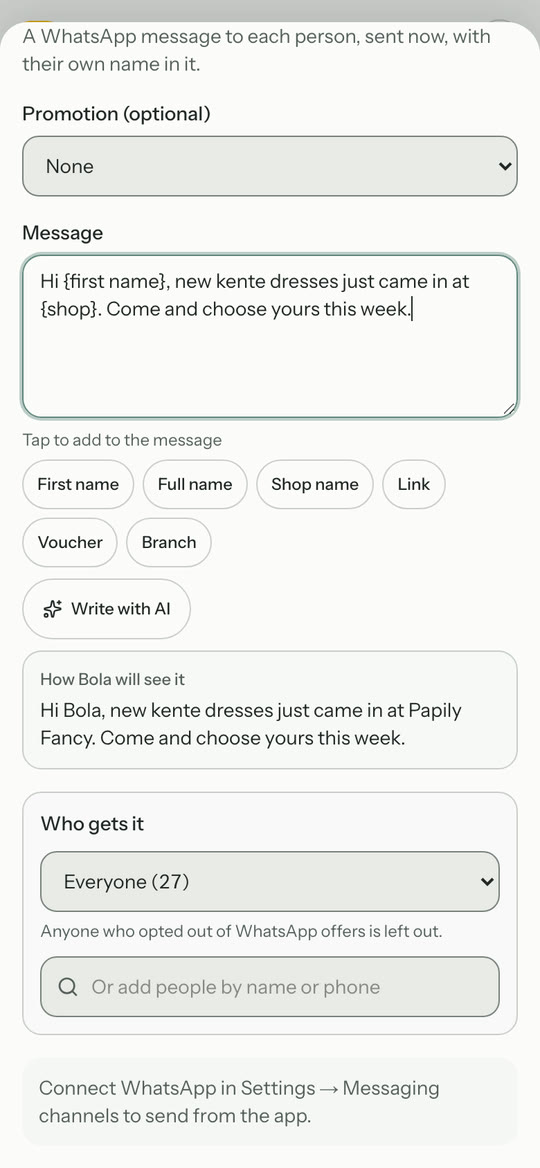
Who gets it: Everyone (27) To reach only the customers who like something, choose Customers by what you remembered about them and type a word, like *linen* or *Suit*, or tap one of the words several customers share. Bizic looks through what you saved on each customer (in Customers → Remembered) and tells you how many it found.
To add one or two people by hand, search for them in Or add people by name or phone.
Send it
Tap Send to, followed by the number of people. Bizic asks "Send this to … people now?" so nothing goes out by accident.
Tap Yes, send. That's it: each person gets the message from your own WhatsApp number, with their own name in it. Changed your mind? Tap Not yet.
Last change, 4 November 2026: Send to customers by what you remembered about them, like a fabric or a size set.
Still stuck?
Tell us what you were trying to do. A real person reads every message.