
Answer customers from Messages
Every WhatsApp and web chat lands in one inbox. Answer from any phone in the shop, hand a chat to a colleague, and let Bizic suggest a reply.
Before you start
Messages needs Customer messages switched on (turn features on) and your WhatsApp number linked (link WhatsApp). Chats from your online shop arrive here too.
Open the inbox
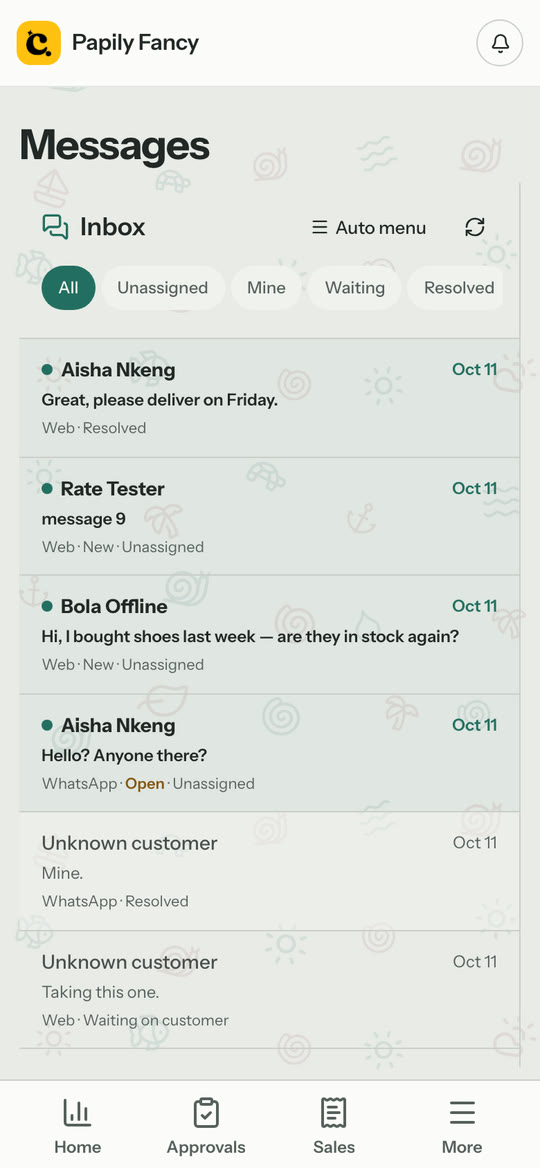
Open More and tap Messages. Home also says how many customers are waiting for a reply; tap that line to come straight here.
Opening Messages The pills along the top sort your chats: - All: everything - Unassigned: nobody has taken it yet - Mine: chats handed to you - Waiting: you asked something and the customer hasn't answered - Resolved: finished
Someone new who isn't in your customers yet? Tap ⋯ in their chat, then Make customer.
Reply
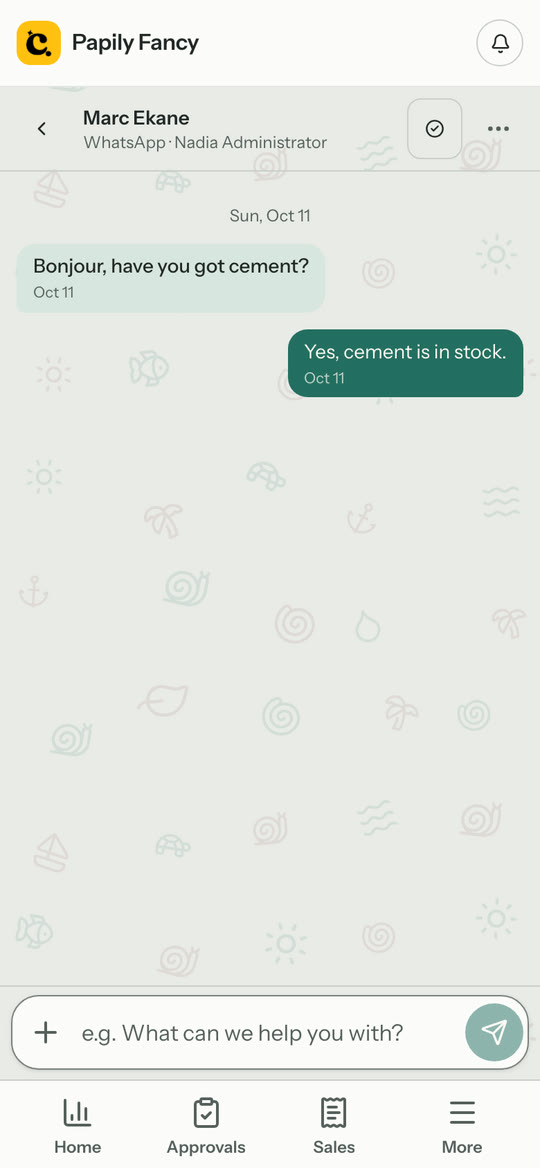
Tap a chat. The whole conversation is there, with any order or booking it's about.
Opening a chat Type in the box at the bottom and tap send. It goes to the customer on WhatsApp, from your shop's number.
A chat, ready to reply Tap + for more ways to reply: - Quick replies: answers you send often, like your opening hours or delivery fees. Tap Add to save one, then tap it to drop it into any chat. - Ask a question: buttons the customer taps to answer - Attach a photo or file: a product photo or a price list - Note for your team: a note only your staff see - Suggest a reply and Summarise the chat: Bizic's AI writes a reply from your products and prices, or sums up a long chat. You check it before it's sent.
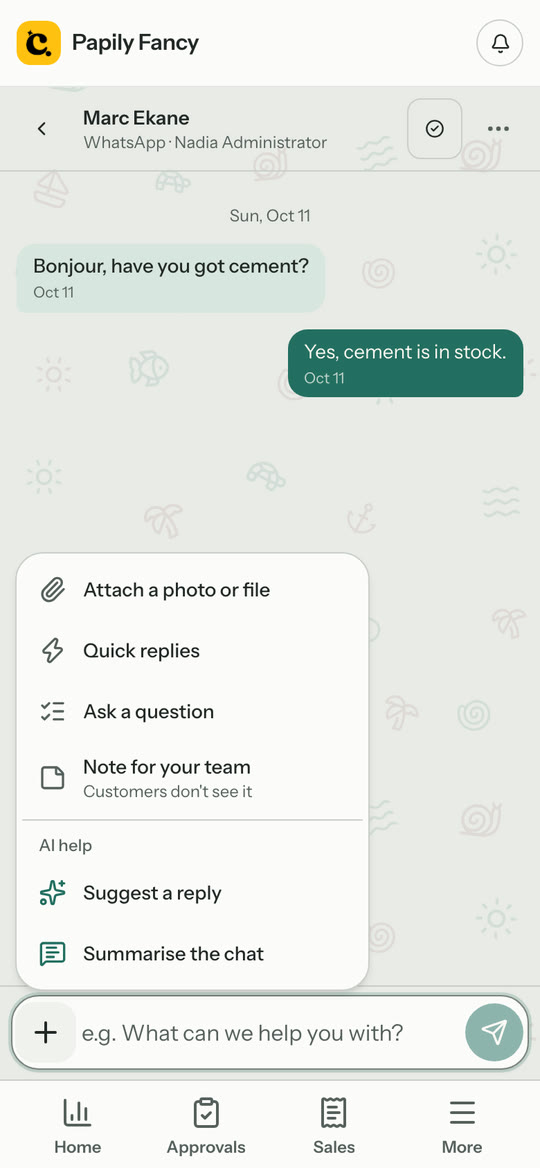
More ways to reply 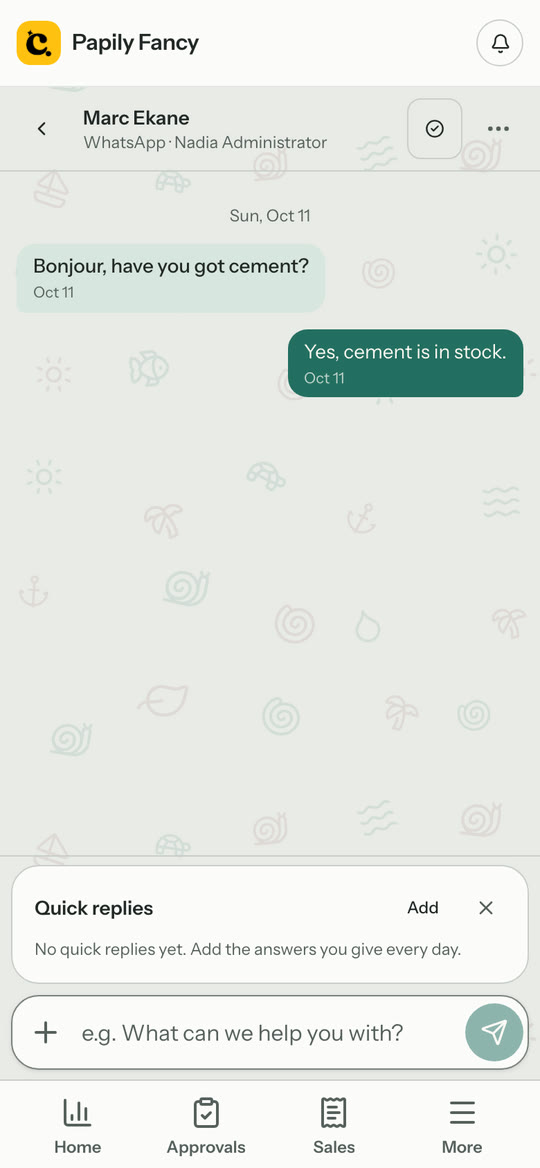
Quick replies
Hand it over or finish
Someone else should answer? Tap ⋯ at the top of the chat and choose Transfer to someone.
Need a deposit? Tap ⋯, then Save for follow-up, then Send a payment link. It makes a mobile money link to paste into your reply. The order shows as paid when the money arrives.
Done? Tap the tick at the top of the chat to resolve it. If the customer writes again, the chat comes back to the inbox.
Last change, 1 November 2026: First version, a tour of the inbox and the ways to reply.
Still stuck?
Tell us what you were trying to do. A real person reads every message.