
Record money going out
Fuel, rent, a supplier paid in cash, money you took home. Write it down in a few taps, so your money in Bizic matches the money in your pocket.
On this page
When to use it
Sales and refunds are recorded at the till by themselves. Use Money in and out for everything else that moves the business's money:
Money out: Paid a supplier, Expense, Owner took money, Repaid a loan, or Something else
Money in: A sale made outside Bizic, An order paid, Owner put money in, Borrowed money, or Something else
Record it
Open More, tap Money, and scroll to Money in and out at the bottom. Choose Today, 7 days or 30 days to see what's been recorded.
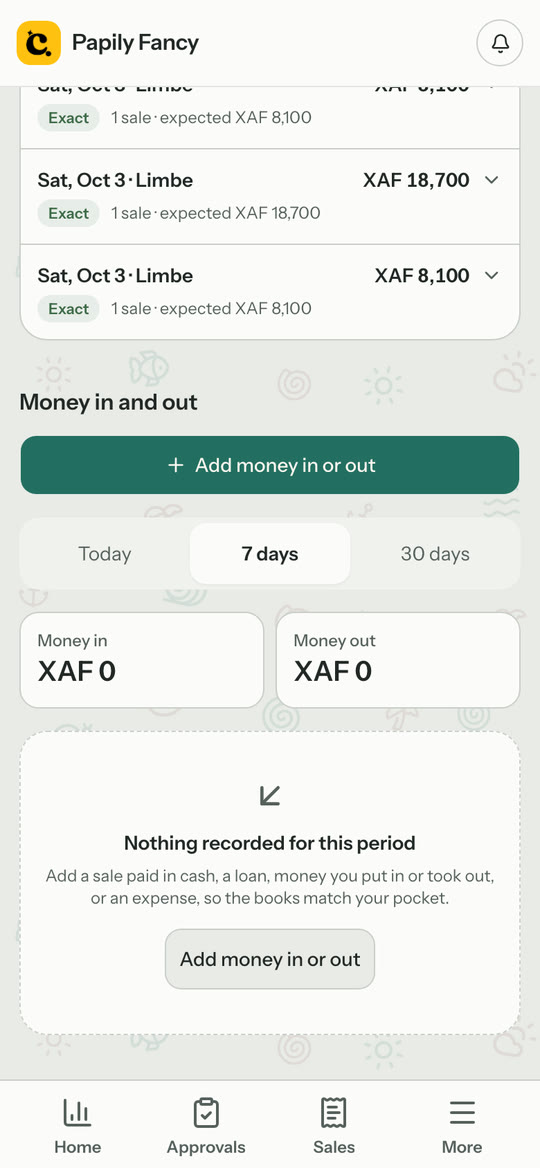
Money in and out Tap Add money in or out.
Tap Money out (or Money in), then what it was, like Expense.
Type the Amount and how it was paid: Cash, Mobile money or Bank. For mobile money or bank, choose Which account if it's one of the shop's, so that account's balance at the till moves too.
Under Note, say who or what it was for, like "Fuel for the generator". You'll be glad of it at the end of the month.
Recording fuel as an expense 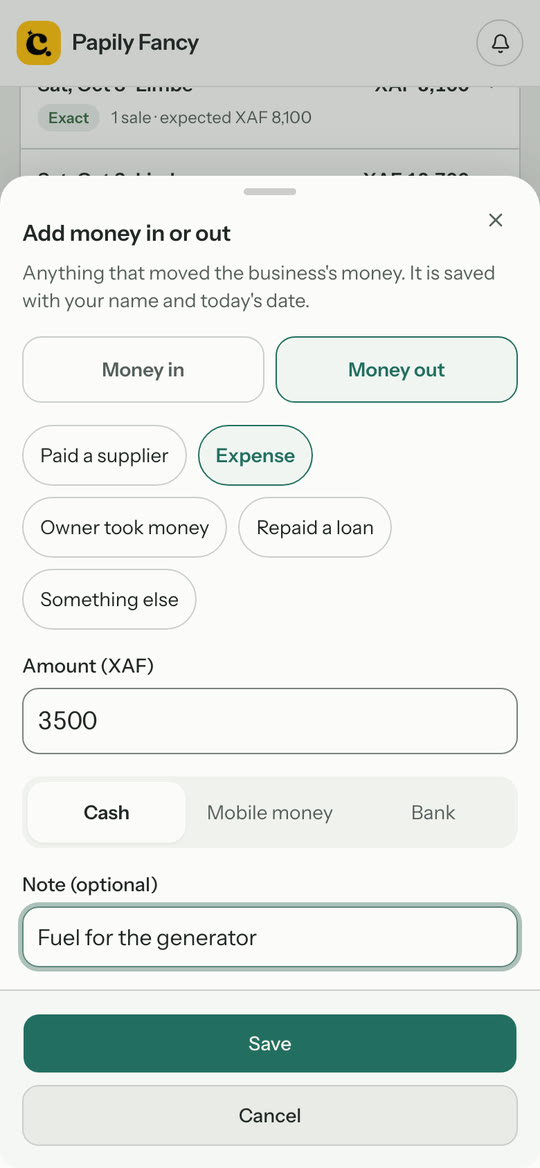
The expense, ready to save Tap Save. It's listed with your name and today's date.
Saved and listed
Last change, 22 November 2026: Salaries now have their own page; they show here as one Salaries line for people who may not see who earns what.
Still stuck?
Tell us what you were trying to do. A real person reads every message.