
Pay salaries and advances
Set what each person is paid, give advances during the month, and pay on payday with one tap. Bizic takes the money out of the drawer or account you pay from.
Before you start
Turn on Salaries in Settings, then Features. Everyone you pay must be on your team list: see Keep your team's details in one place.
Set each person's salary
Open More, tap Team, then tap the person. Under Salary, tap Set salary.
Type their Salary, choose Every month or Every week, their Payday, and whether it counts from This month or Next month. Tap Save salary.
Setting a salary of 50,000 a month
Pay on payday
Open More and tap Salaries. Each person shows what they are still owed: their salary, less any advances and what you already paid them this month. On payday Bizic also sends you a reminder.
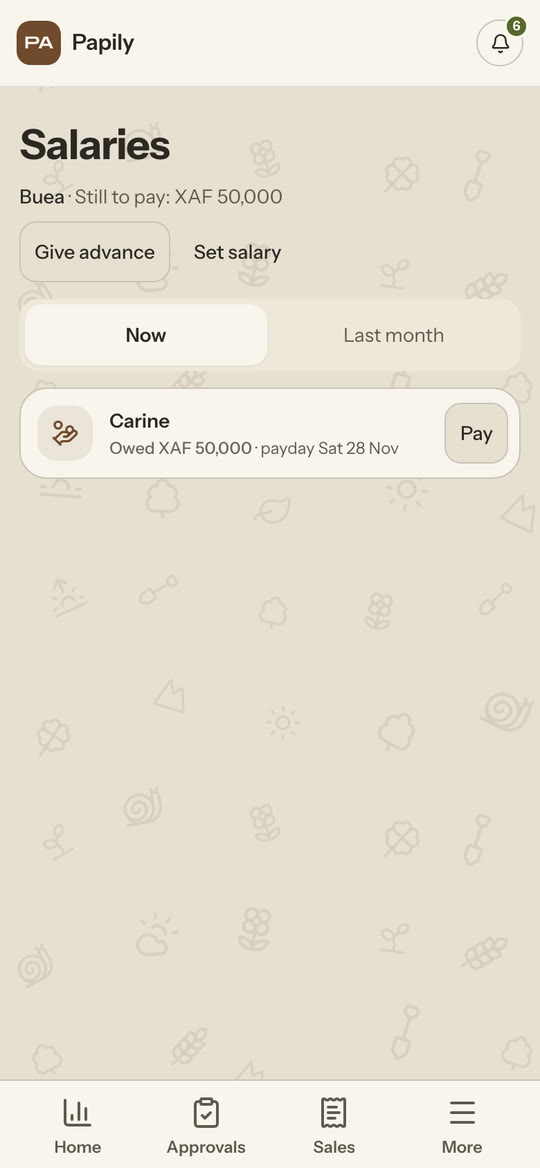
Salaries: who is still owed, and when Tap Pay next to their name. The amount they are owed is already filled in; change it if you pay part now.
Opening Pay Choose how you paid: Cash, Mobile money or Bank. For cash, choose The till drawer or Somewhere else, like your pocket or the safe.
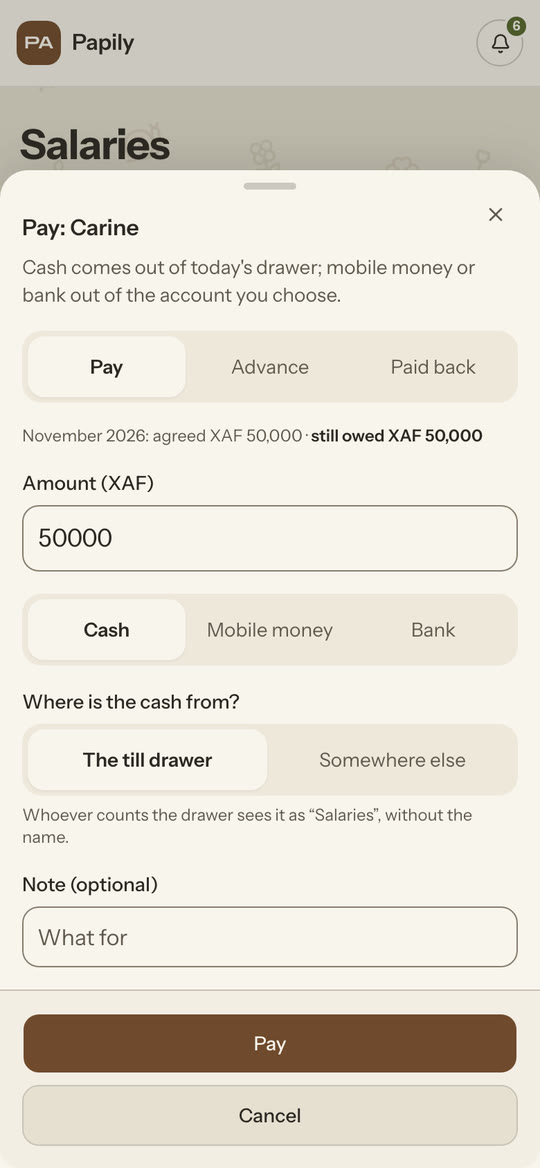
The Pay sheet Tap Pay. The row now says Paid, and the money shows under Money in and out.
Paying the salary
Advances and money paid back
Someone needs money before payday? Tap Give advance, choose them, type the amount and tap Give advance. On payday it is already taken off what they are owed.
They gave some back? Tap their name, choose Paid back, and save. It goes back onto what they are owed.
Last change, 22 November 2026: First version.
Still stuck?
Tell us what you were trying to do. A real person reads every message.