
Keep your team's details in one place
Everyone who works for you on one list, with their phone one tap away, whether or not they use the app.
Add someone
Open More and tap Team. You see everyone who works for you: the people who use the app and the ones who don't, like a cleaner or a tailor. People who sign in to Bizic have a Uses the app badge beside their name, and under each name is their job and the shop they work at.
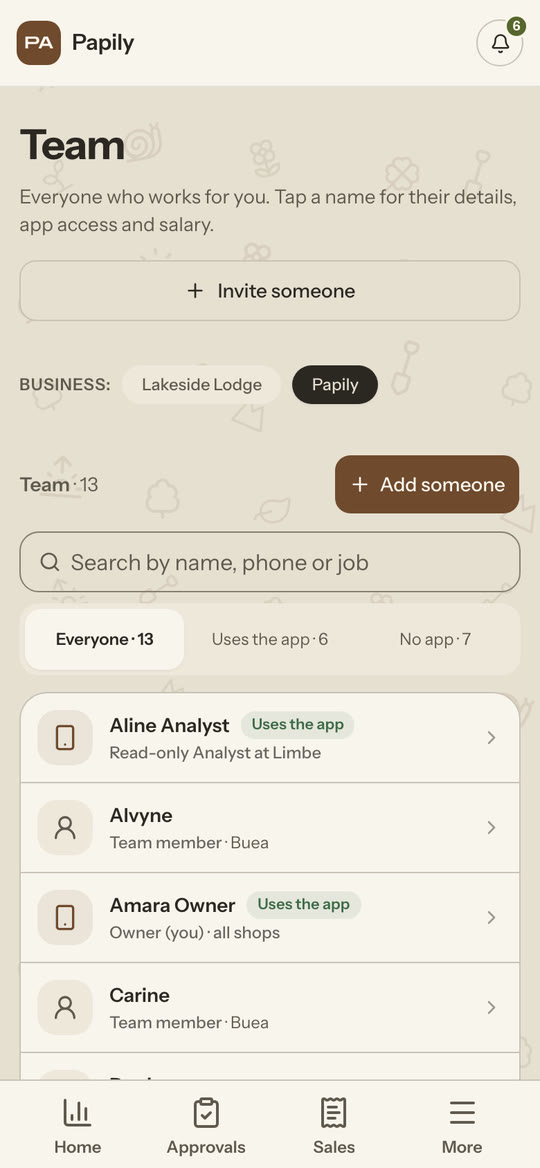
Team: one list of everyone who works for you Looking for someone? Type their name, phone or job in the search box, or tap Uses the app or No app to see only those people.
Tap Add someone, type their Name and Phone, and tap Add. Their job, start date and shop are under Add job, start date and more.
Adding someone with their phone number
See and change their details
Tap a name. You see how to reach them (Call and WhatsApp), their details, their app access with what each of their jobs can do and, if you pay salaries in Bizic, their salary.
Opening someone on the list Tap Edit to change their phone, job or shop. Owners and administrators also see the ID or passport number and Emergency contact; nobody else does.
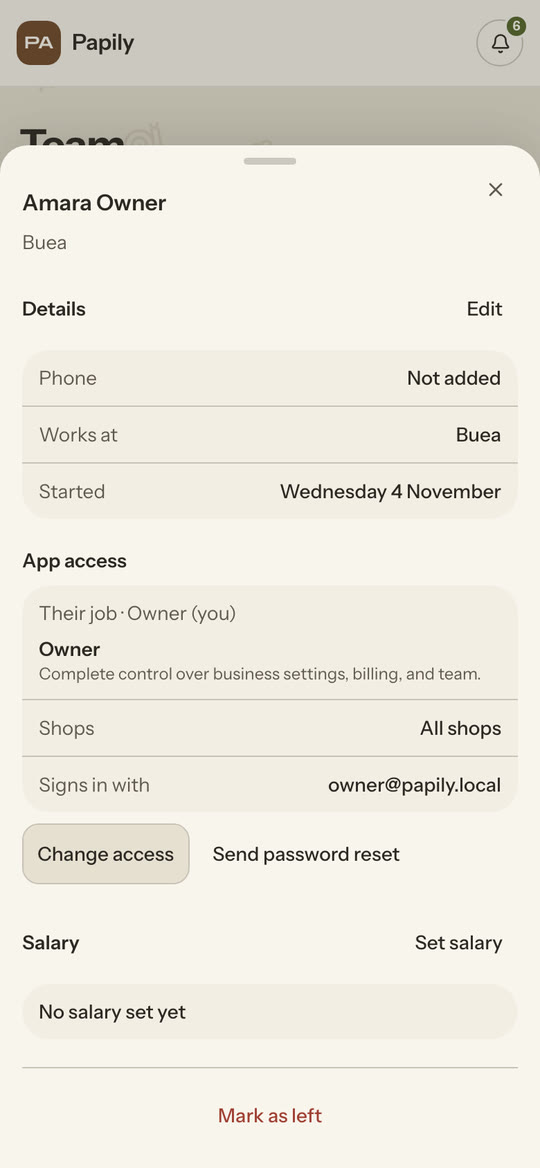
A person's details, app access and salary Under App access, tap Change access to change what they can do in the app and at which shop, Send password reset if they forgot it, or Turn app access off if they should not sign in any more. Someone who does not use the app shows Invite.
When someone leaves
Open them and tap Mark as left. They move to Past team members at the end of the list, with their history kept. Changed your mind? Open them there and tap Back at work.
Last change, 22 November 2026: First version. Team is one list of everyone, with search, who uses the app, and each person's details, app access and salary.
Still stuck?
Tell us what you were trying to do. A real person reads every message.