
See bookings in Google or Apple Calendar
Put your bookings in the calendar you already use on your phone. New, moved and cancelled bookings update there by themselves.
On this page
Get a calendar link
Open More and tap Staff & hours (or Working hours if you work alone). Scroll to Calendar sync.
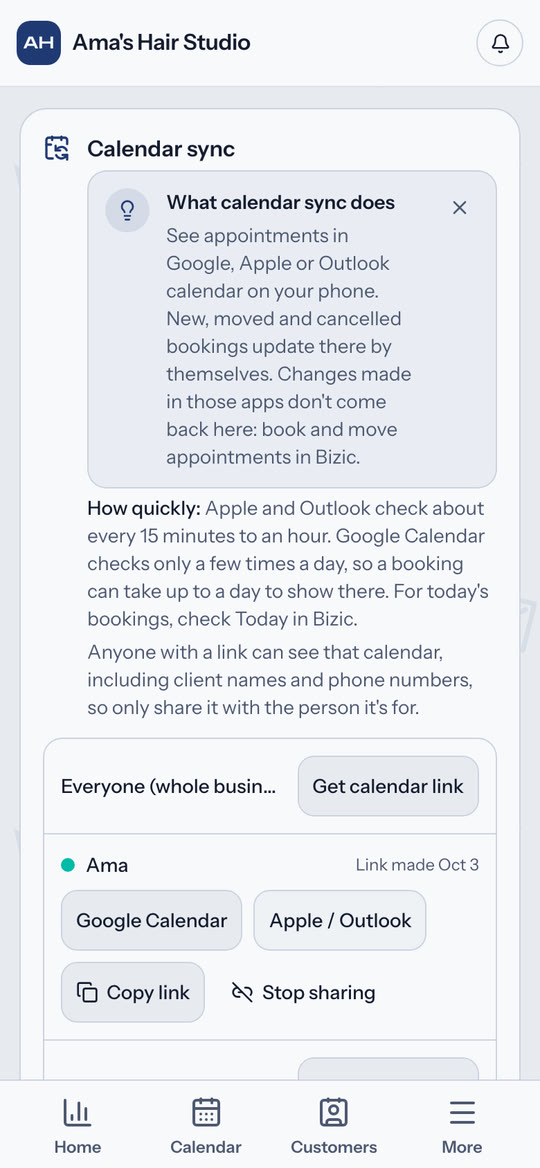
Calendar sync, on Staff & hours Each person has a row, plus Everyone (whole business). Tap Get calendar link on the row you want.
Getting a link Tap where to add it: - Google Calendar: opens Google Calendar to add it - Apple / Outlook: opens your phone's calendar app to subscribe - Copy link: for any other calendar app
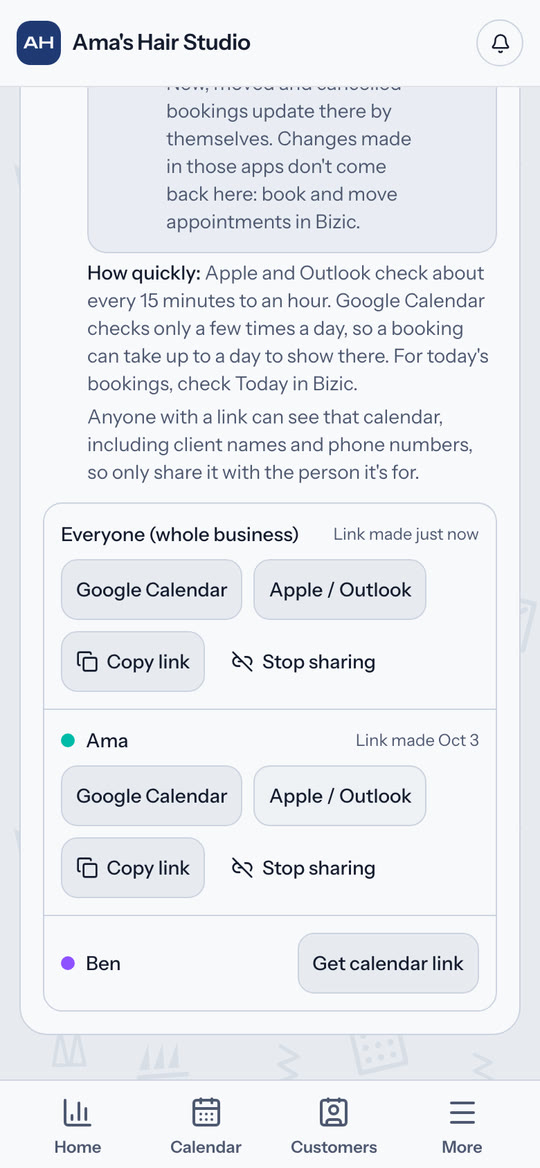
The links
That's it. Bookings show up in that calendar, with the customer's name and services.
How quickly it updates
Apple and Outlook check for changes about every 15 minutes to an hour. Google Calendar checks only a few times a day, so a new booking can take a while to show there. Bizic itself is always up to date.
Changes made in Google or Apple Calendar don't come back to Bizic. Move or cancel bookings in Bizic.
Last change, 1 November 2026: First version.
Still stuck?
Tell us what you were trying to do. A real person reads every message.