Choose light or dark and your colours
Light or dark is your own choice, on your own phone. The business colours are the owner's choice, for everyone's app and your online page.
Light or dark, on your phone
Open More. At the bottom of the menu, the button shows the mode you're in: Light, Dark or Auto.
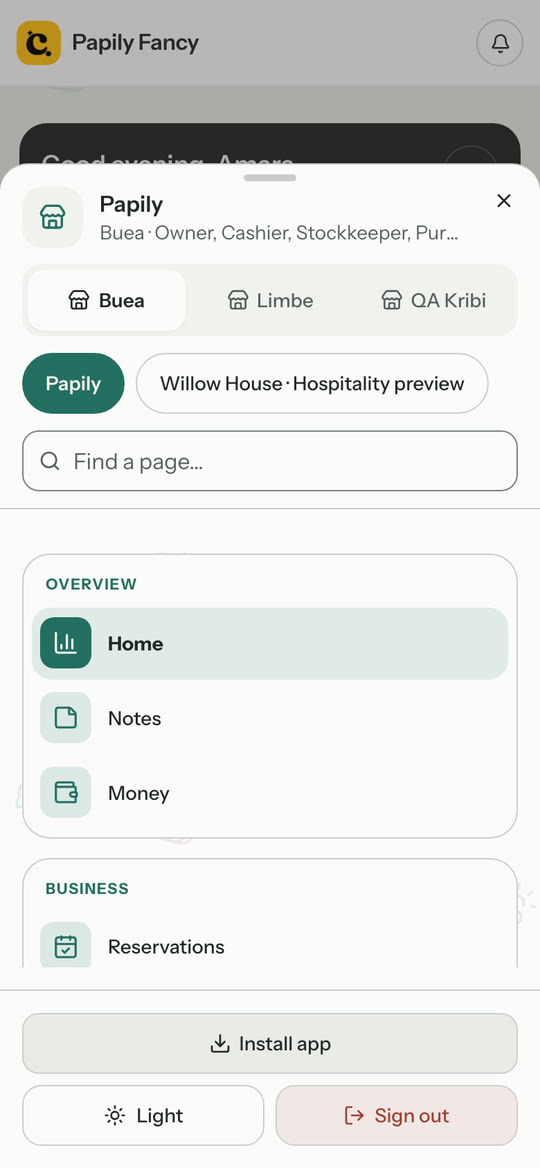
The More menu, with the mode button at the bottom Tap it to move to the next one. Auto follows your phone: light by day, dark at night if your phone does that.
Switching to dark
It's saved on this phone only, so each person in your team can choose their own.
Your business colours
Open More, tap Settings, then Look & colours.
Under Colours, pick one of nine: Earth, Moss, Eucalyptus, Terracotta, Dusty Rose, Brinjal, Slate, Ndop or Toghu. Each one works in light and dark.
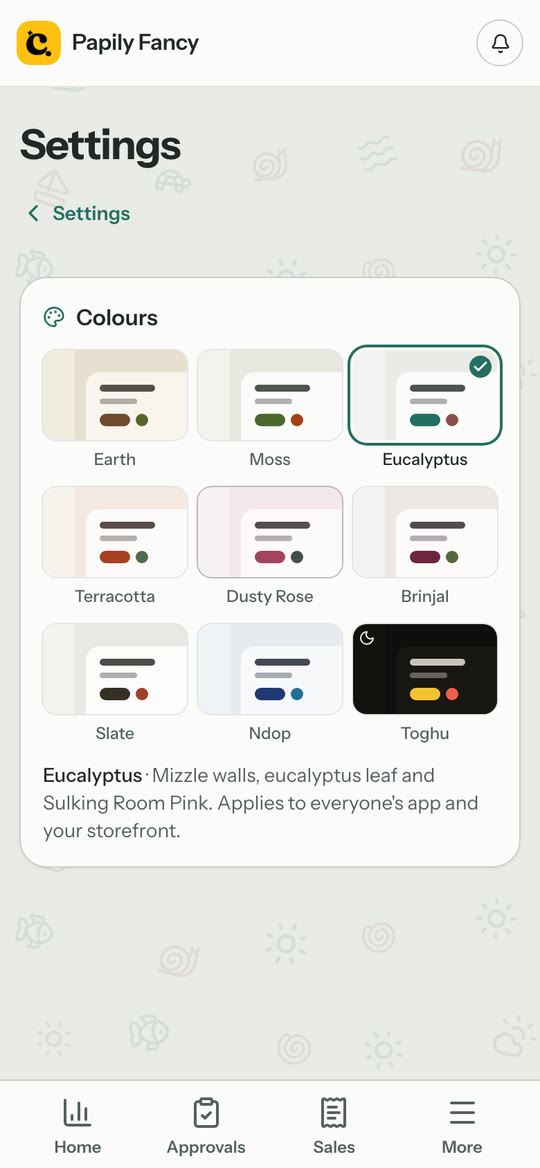
Look & colours
The new colours apply to everyone's app and to your online page straight away. Only an owner or administrator can change them.
Doodles are the little drawings behind the app. Turn them off if you prefer it plain; that's just for your phone.
Last change, 1 November 2026: First version.
Still stuck?
Tell us what you were trying to do. A real person reads every message.