
Read your Home screen
Home answers one question: what needs me today? Today's money at the top, then the things waiting for you, most urgent first.
The top: today in numbers
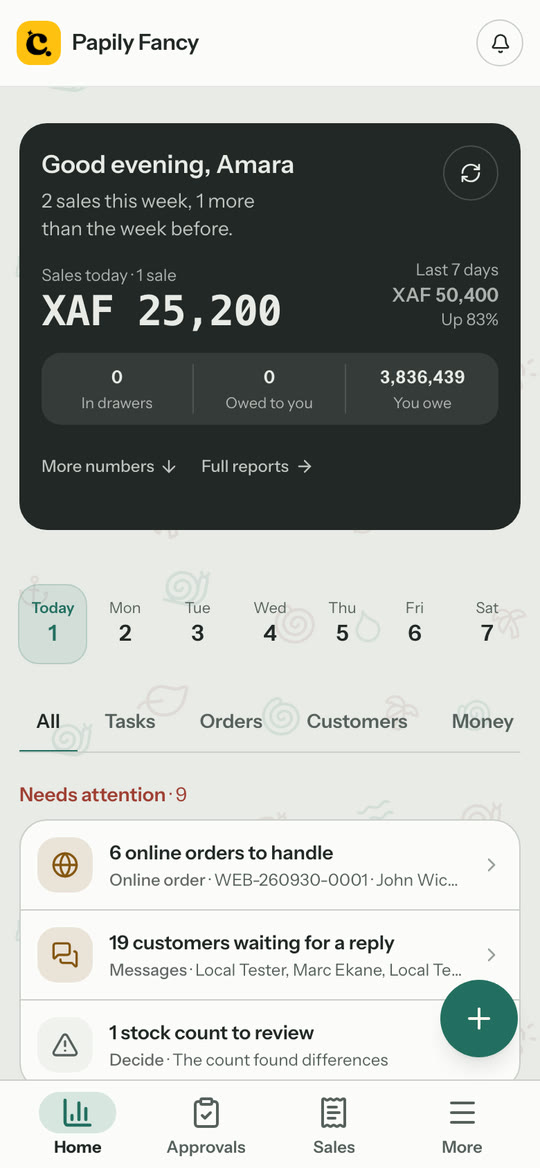
Sales today: what you've sold today, and how many sales. On the right, Last 7 days, up or down on the week before.
In drawers: cash in the drawers that are open right now
Owed to you: what customers owe you (who owes you)
You owe: what you owe suppliers for approved and delivered orders
More numbers: the last 30 days, your stock's value at selling price and more. Fewer numbers folds them away.
Full reports: every report
The day strip and the tabs
Under the numbers, the days of the week. Tap a day to see what's planned for it, like bookings, orders due or tasks.
The tabs (All, Tasks, Orders, Customers, Money) narrow the list to one kind of thing.
Needs attention
The list under Needs attention is what's waiting for you, most urgent first: online orders to handle, customers waiting for a reply, a stock count that found differences, products running low, requests waiting for your OK. Each line says what it is and how many. Tap it to go straight there.
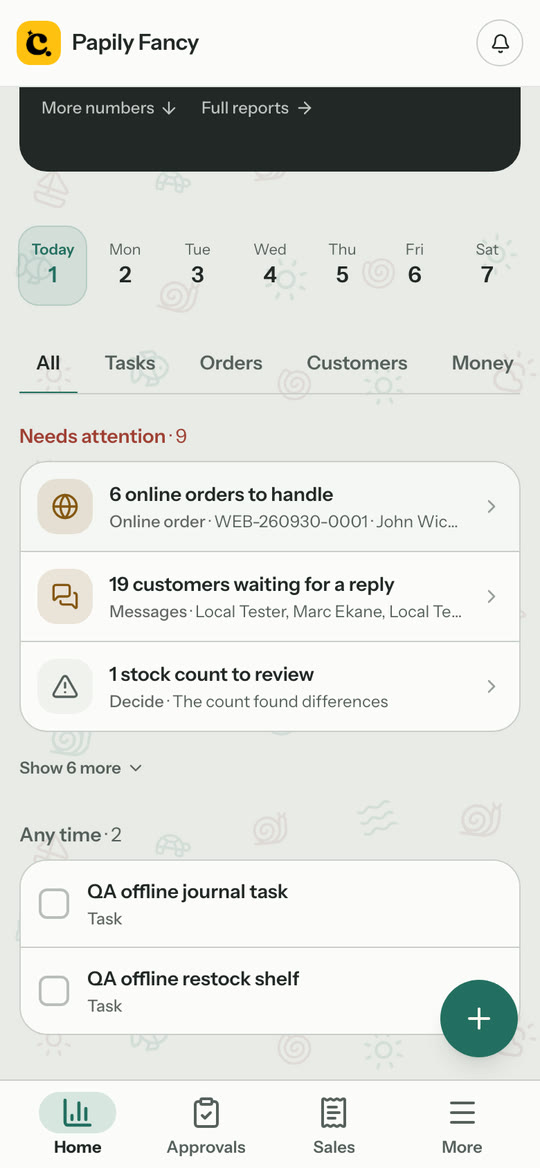
When it's empty, Home says All clear. Time for a cup of tea?
The + button
The round + at the bottom right adds something new: a task for your team or, for salons and services, a booking.
Last change, 1 November 2026: First version, a tour of the owner's Home.
Still stuck?
Tell us what you were trying to do. A real person reads every message.