Take something back or refund
Find the receipt, tick what's coming back, say what state it's in, and give the cash back. Stock goes back on the shelf by itself, unless it's damaged.
On this page
Before you start
You need the customer's receipt number, like BUEA-20261031-000019. It's printed at the top of every receipt. The drawer must be open, because the refund comes out of it.
Find the sale
Open Sales: it's in the bar at the bottom, or under More. Your receipts are listed newest first. Type the receipt number in the search box if you can't see it.
Tap the round arrow button next to the receipt. Return items opens.
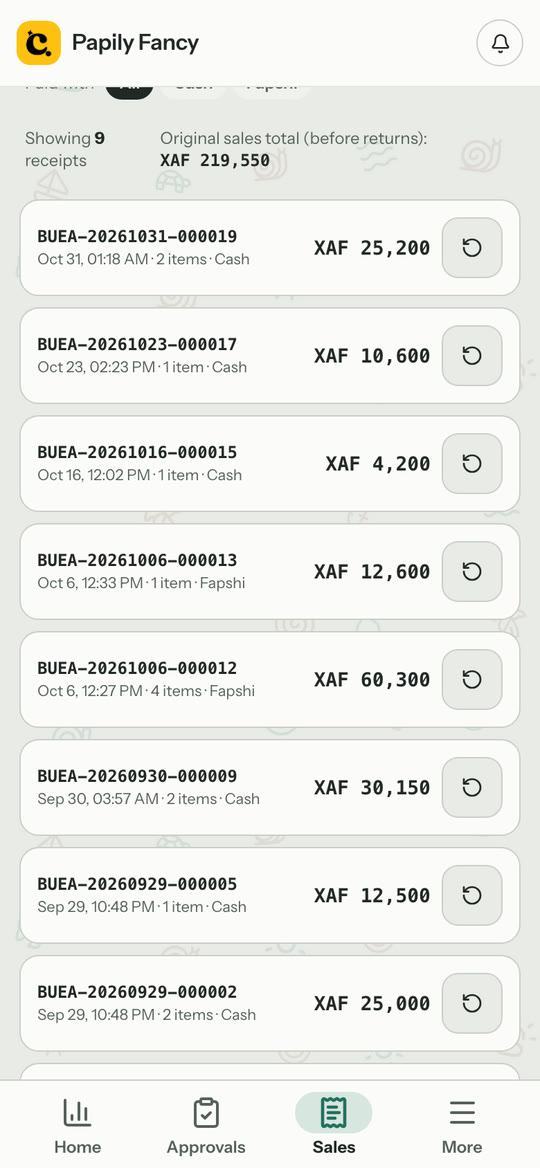
Receipts, each with its return button
Take it back
Tick each thing the customer is bringing back. If they bought more than one, set the Return quantity.
Choose its Condition: - Sellable — back on the shelf: it goes straight back into stock. - Damaged — quarantined: it's kept apart, not sold again. - Supplier return — quarantined: it's kept apart to send back to your supplier.
Opening the return and ticking an item Bizic shows the Cash to give back from the open register. Type a short Reason for Return, like "Wrong size".
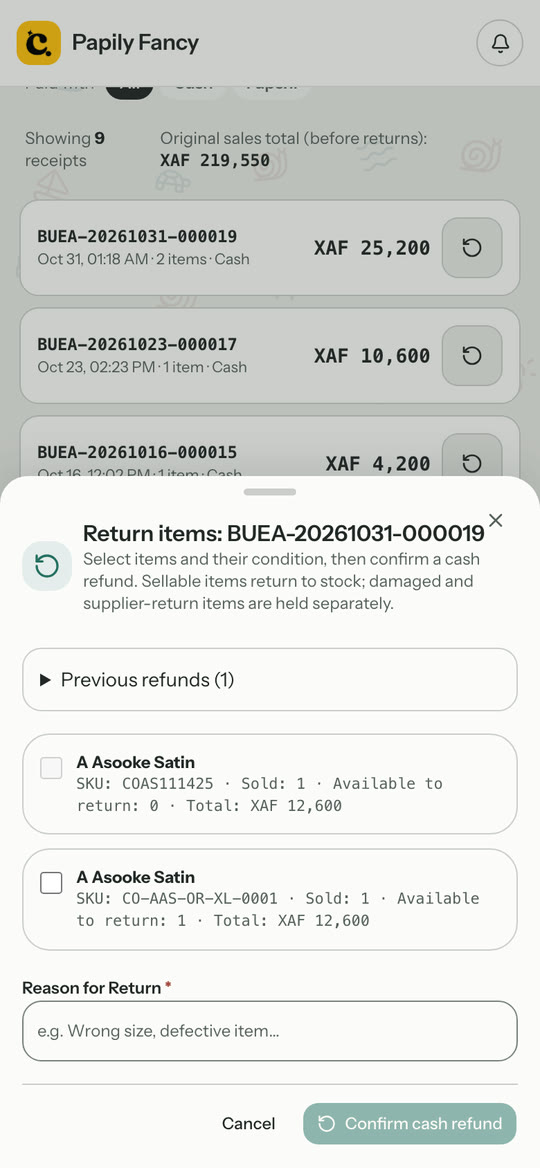
The item, its condition, and the cash to give back Tap Confirm cash refund. That's it: Bizic shows the refund amount and a return number. Give the customer the cash and tap Done.
Typing the reason and confirming the refund
Last change, 1 November 2026: Fresh pictures; money now reads XAF.
Still stuck?
Tell us what you were trying to do. A real person reads every message.