
Start and end your shift
My shift is a cashier's own page: the drawer, what should be in it right now, your sales today and your last close. Start the day, sell, count, close.
On this page
Open My shift
Open More and tap My shift. It's about you and your shop only.
Start the day
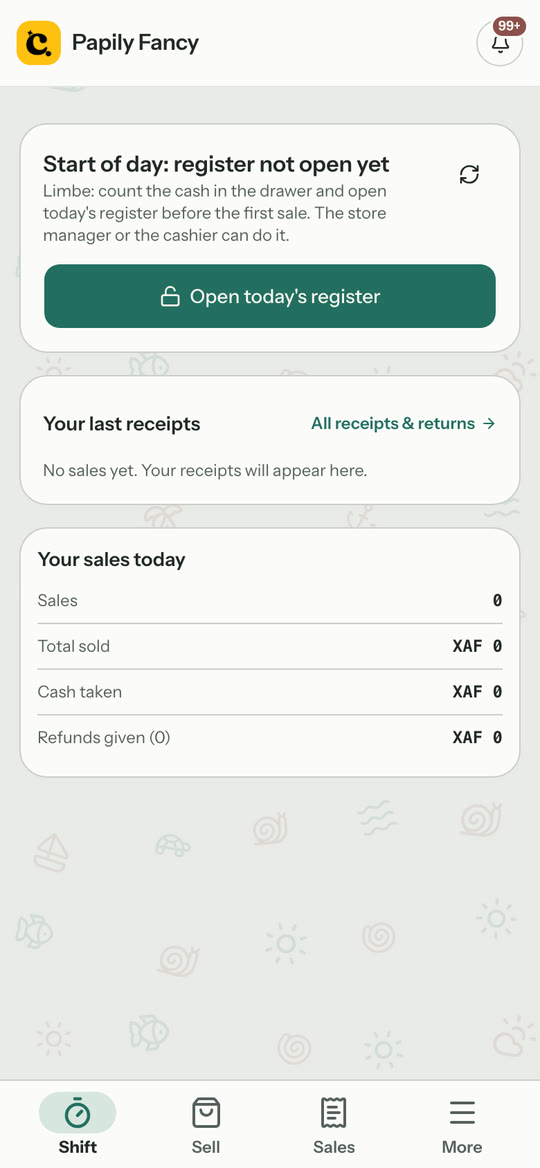
If the drawer isn't open yet, the top says Start of day: register not open yet. Count the cash in the drawer and open it. Bizic fills in last night's count, so most days it's one tap. See make your first sale.
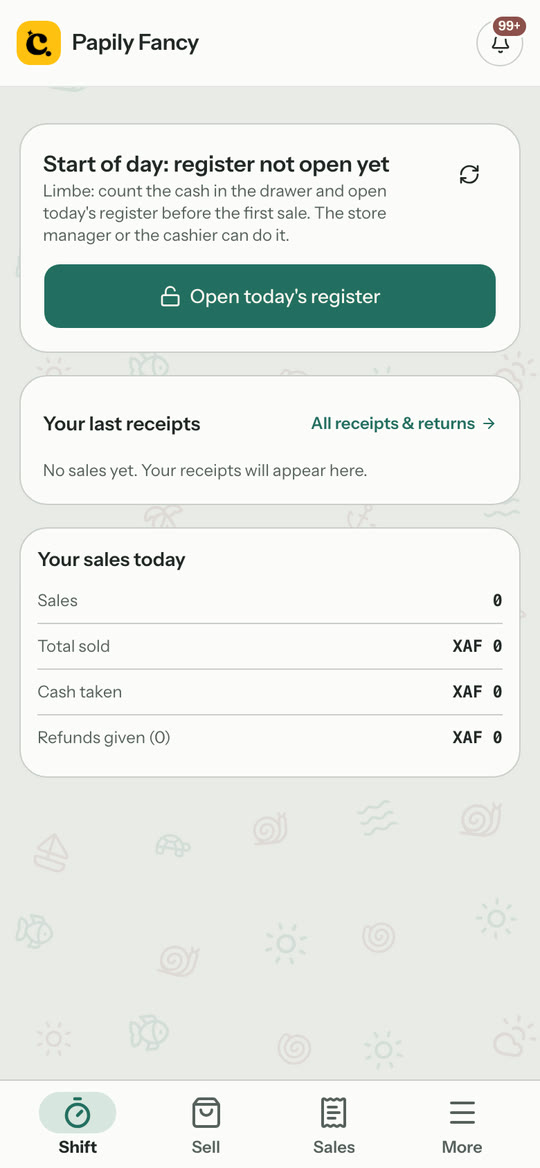
Yesterday's drawer still open? Bizic says so. Close yesterday's first: count it, then count today's starting cash.
During the day
Once the drawer is open, the top shows Cash that should be in the drawer now, worked out for you: what you started with, plus cash sales, minus refunds, plus or minus cash in and out.
Three buttons under it:
New sale: opens the till
Cash in / out: cash taken out to pay for something, moved to the safe, or put in. Give the reason, so the count still adds up.
End of day: close: count the drawer and close it (close the day)
Further down: Your sales today (how many, the total, the cash you took), Your last receipts, and Your last close with how it counted.
Last change, 1 November 2026: First version, a tour of a cashier's own page.
Still stuck?
Tell us what you were trying to do. A real person reads every message.